Fix Windows 11 Calendar Not Opening on Secondary Monitor

Key Notes
- Keep Windows 11 updated for potential fixes.
- Verify the correct display settings for dual monitors.
- Adjust taskbar settings to enable visibility across monitors.
Fixing the Windows 11 Calendar Issue on Dual Monitors: A Comprehensive Guide
Many users with dual monitor setups find that the Windows 11 Calendar does not appear on their secondary display. This guide offers troubleshooting steps to resolve this problem efficiently.
Troubleshooting Windows 11 Calendar on Second Monitor
Experiencing issues with the Windows 11 Calendar appearing only on your primary display? This section outlines actionable steps to effectively troubleshoot and resolve this issue.
Step 1: Preliminary Suggestions
Begin by ensuring your Windows 11 is regularly updated since fixes for such issues may be released through updates.
You might also consider restarting Windows Explorer via the Task Manager, which can help in resolving minor taskbar-related problems.
Pro Tip: Make it a habit to check for Windows updates frequently to avoid missing critical fixes.
Step 2: Verify Display Settings
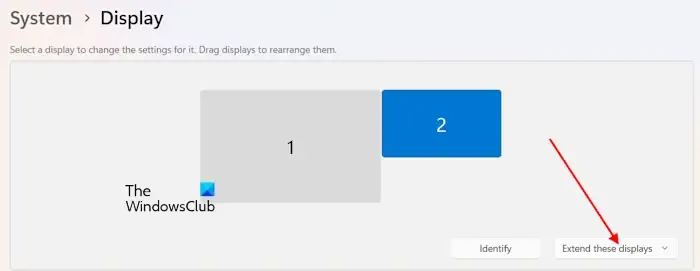
Access the Settings app by pressing Win + I. Navigate to System and then select Display.
Ensure that the Extend these displays option is enabled, allowing Windows to recognize both monitors as separate displays.
Step 3: Check Taskbar Settings
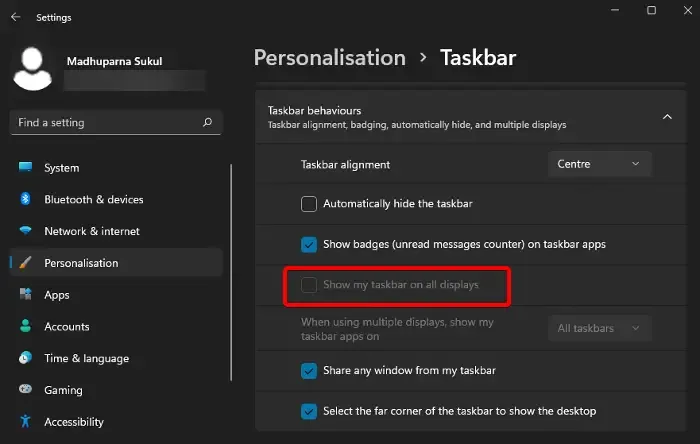
Right-click the taskbar and select Taskbar settings. Scroll down on the right pane to find Taskbar behaviors and ensure that Show Taskbar on all displays is activated.
Step 4: Send Feedback to Microsoft
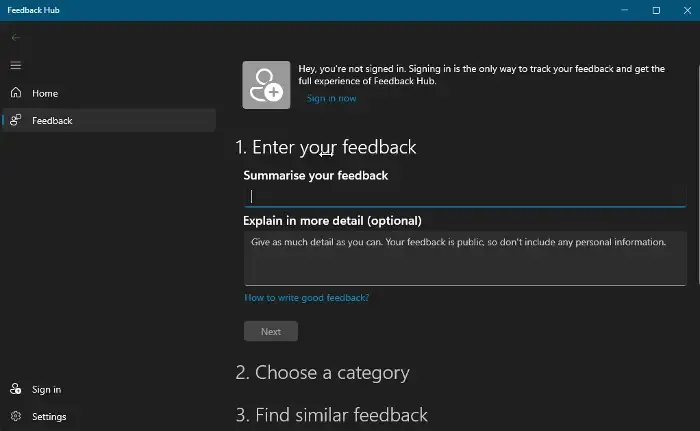
If issues persist, you can provide feedback to Microsoft. This can prompt them to address the problem in future updates. Use the shortcut Win + F to launch the feedback tool and follow the prompts.
Step 5: Utilize a Secondary Taskbar Clock
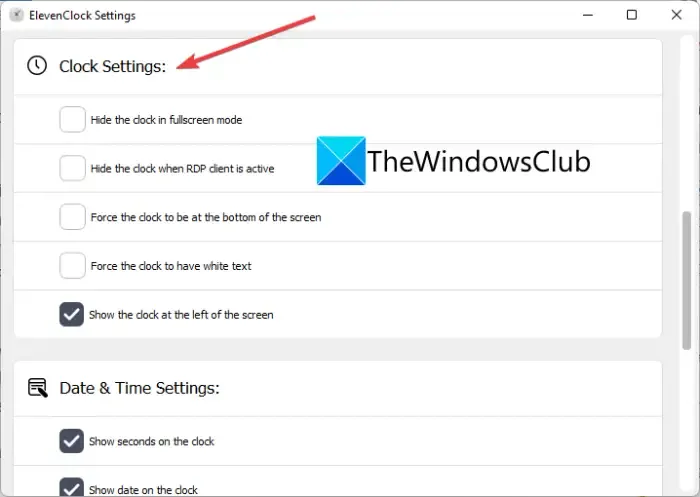
For users facing persistent issues with the primary taskbar clock, consider using ElevenClock, which allows you to have a taskbar clock on your secondary monitor.
Summary
This guide provides methods to troubleshoot the issue of the Windows 11 calendar not appearing on secondary monitors, including checking display and taskbar settings, sending feedback, and utilizing alternative apps.
Conclusion
By following these troubleshooting steps, you should be able to resolve the calendar display issue on your second monitor in Windows 11. Regular updates and adjustments to settings can significantly enhance your dual-monitor experience.
FAQ (Frequently Asked Questions)
What should I do if the calendar still doesn’t open after following the steps?
If the issue persists, consider reaching out to Microsoft Support for assistance, as they may offer personalized solutions.